Food · Movement · Consistency
Log the food.
Do the workout.
PrimeForm puts today's meals, training, sleep, and water on one screen, with plans you can actually finish and a clean way back after a missed day.
iPhone · iOS 18+ · Apple Health optional
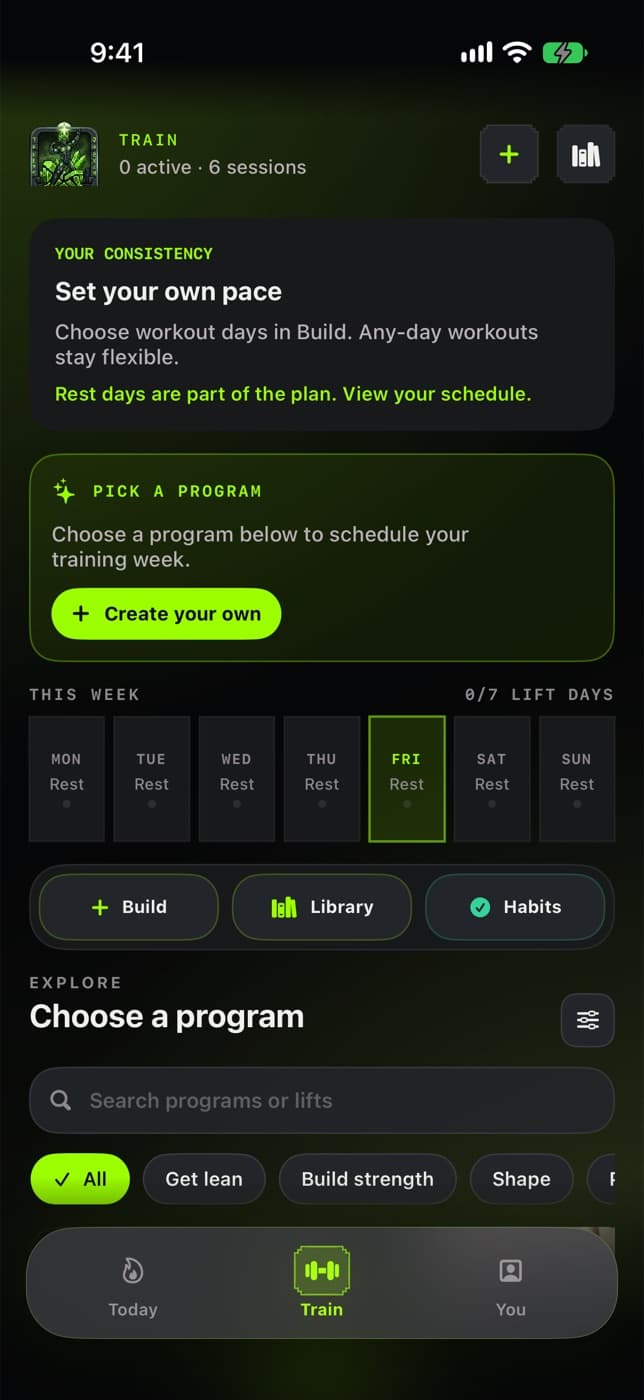
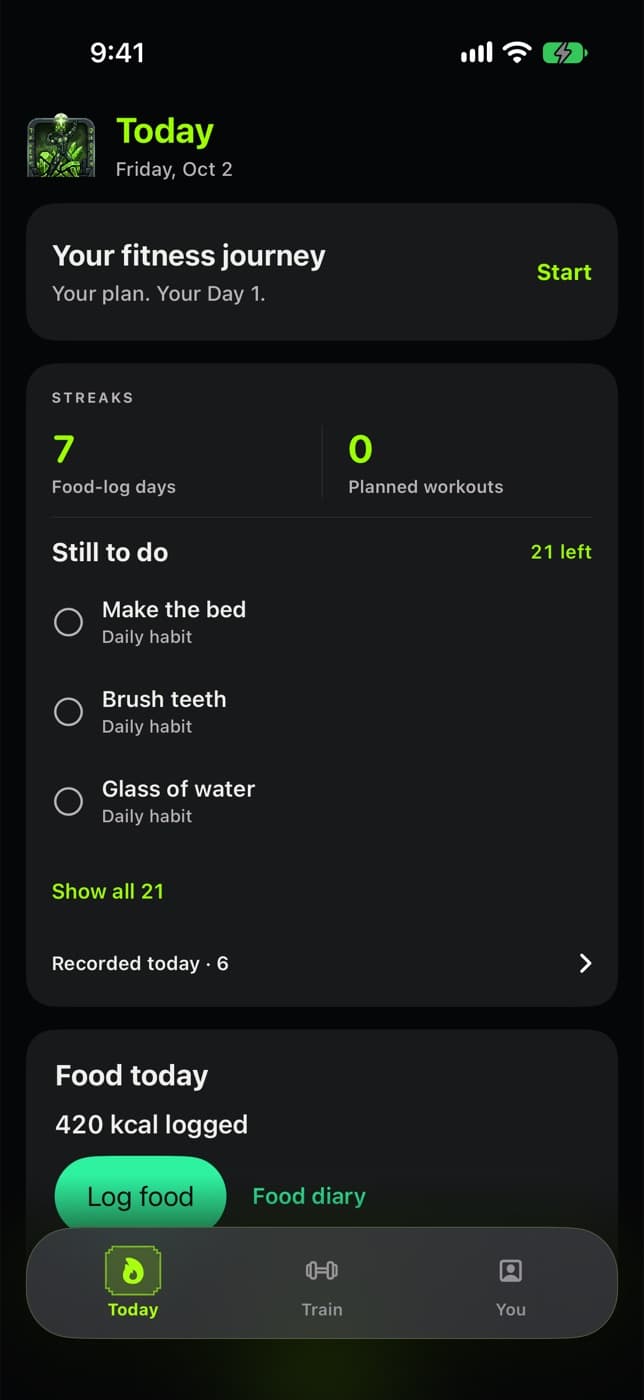
Unedited screens from the current build, shown with demo data.
PrimeForm logs a meal in two taps.
Then it lays out today's workout, or today's rest.
And it shows what you actually did. No shame, no catch-up debt.
Set up in a few minutes
Three steps to a plan you'll keep
Starting point
1. Say where you're starting
Beginner and returning are first-class options. Nothing assumes you already train.
Which days?
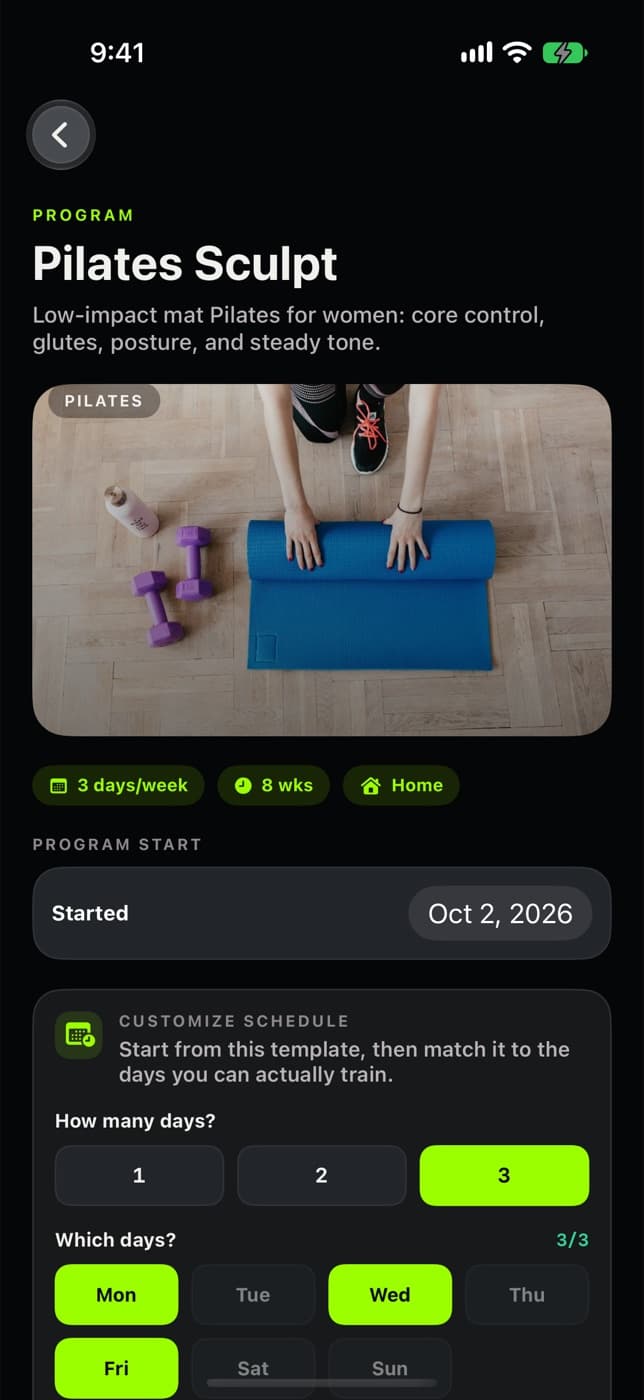
2. Pick days you can actually train
One, two, or three days. Rest days are part of the plan, not a gap in it.
3. Log it, miss it, come back
A missed session stays in this week's record. Next week starts clean, with no extra workout owed.
Interactive · try a real session
Every move shows you how
This is a real PrimeForm program: same days, sets, reps, rest, and exercise photos as the app. Tap a set to log it and the rest timer starts. Nothing here is saved.
- Home, bodyweight, and gym programs
- Start and finish photos for library moves
- Sets save as you go and resume later
- “Too hard” makes the next session lighter
Program
Pilates Sculpt
Exercise 1 · 45 sec rest
beginner


Dead Bug
- 1Begin lying on your back with your hands extended above you toward the ceiling.
- 2Bring your feet, knees, and hips up to 90 degrees.
- 3Exhale hard to bring your ribcage down and flatten your back onto the floor, rotating your pelvis up and squeezing your glutes. Hold this position throughout the movement. This will be your starting position.
In the app
Start from a template. Fit it to your week.
Choose how many days and which ones, then start. Or build your own workout from the exercise library. Programs run from low-impact mat work to bodyweight strength and gym splits.
Build your planFood logging
Rough is fine. Logged is better.
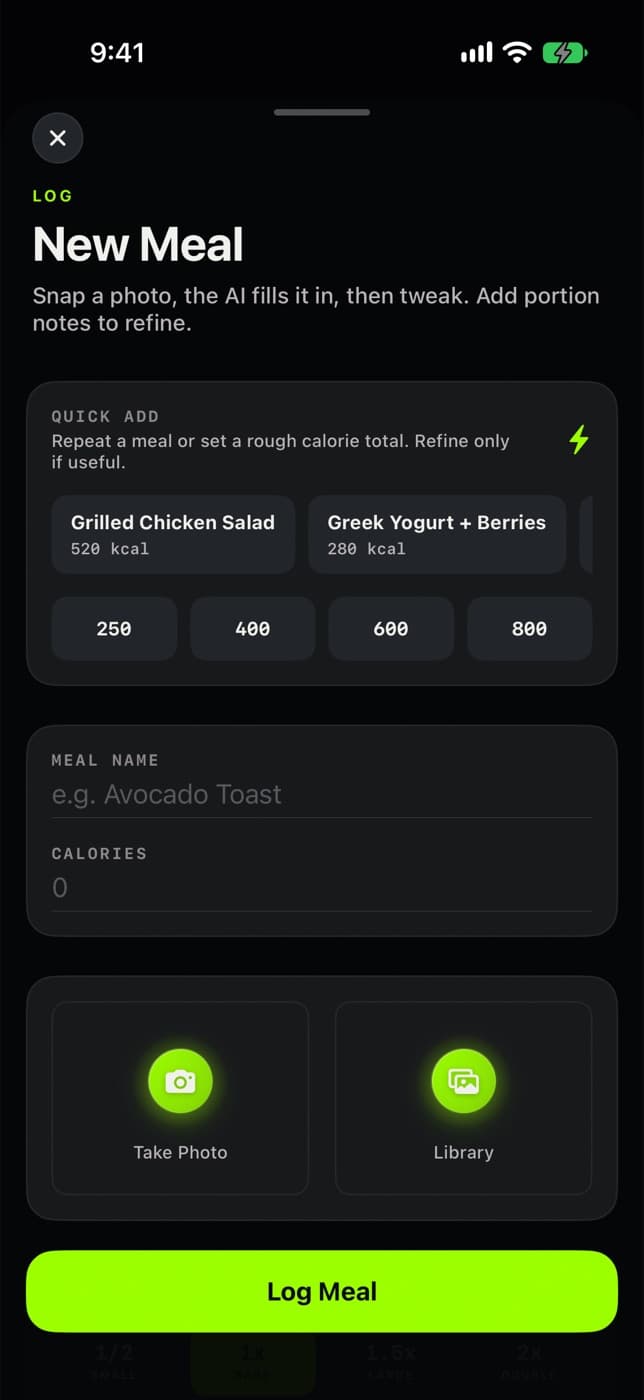
Most days you don't need a scale. Repeat a recent meal or tap a rough total, then correct the portion later if it matters.
Quick add
Repeat a meal or set a rough calorie total. Refine only if useful.
Food today
0 kcal logged
Nothing logged yet. Tap a meal or a number above.
Everything else, kept small
Recovery supports the two jobs
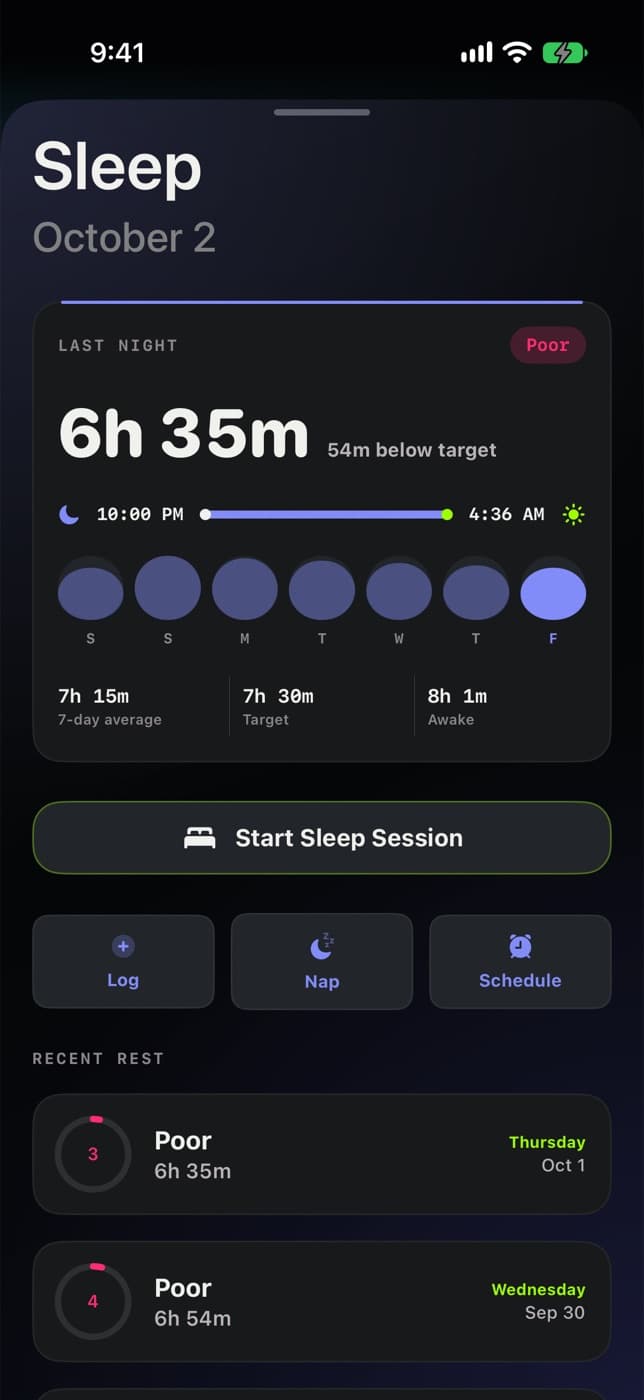
Sleep
Last night, the week, and a one-tap session start. Reads Apple Health if you allow it.
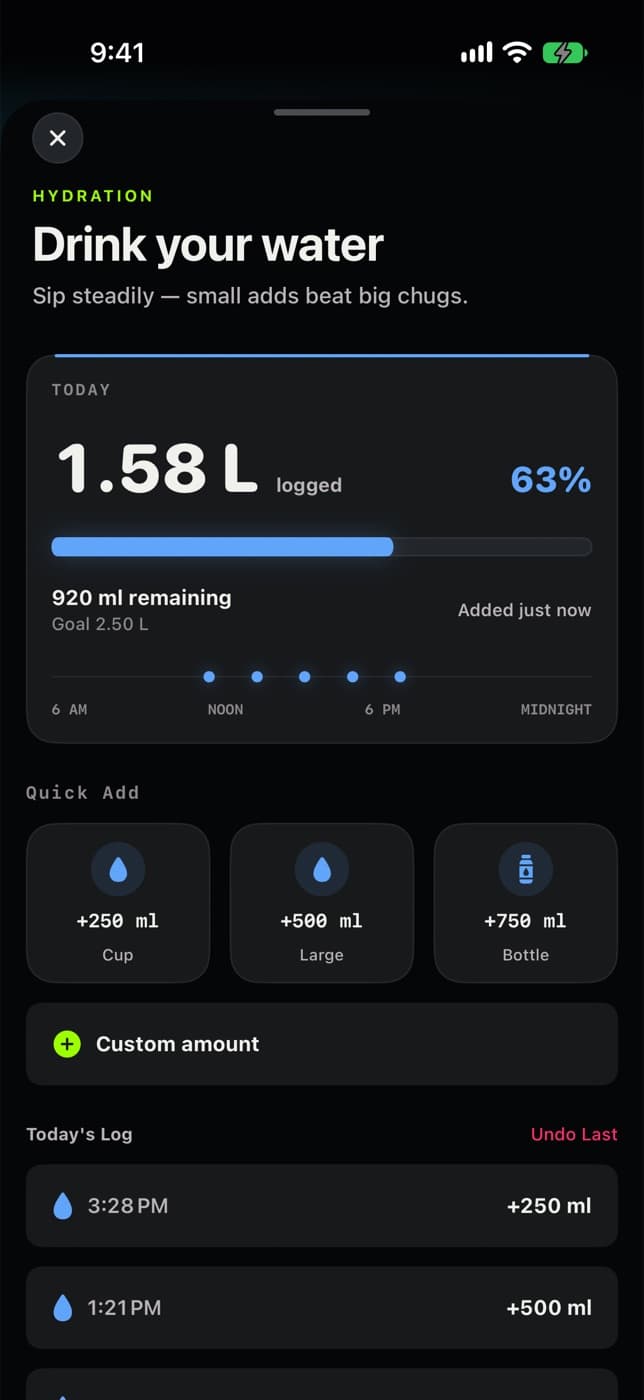
Water
Cup, large, or bottle in one tap. Undo the last one if you mis-tap.
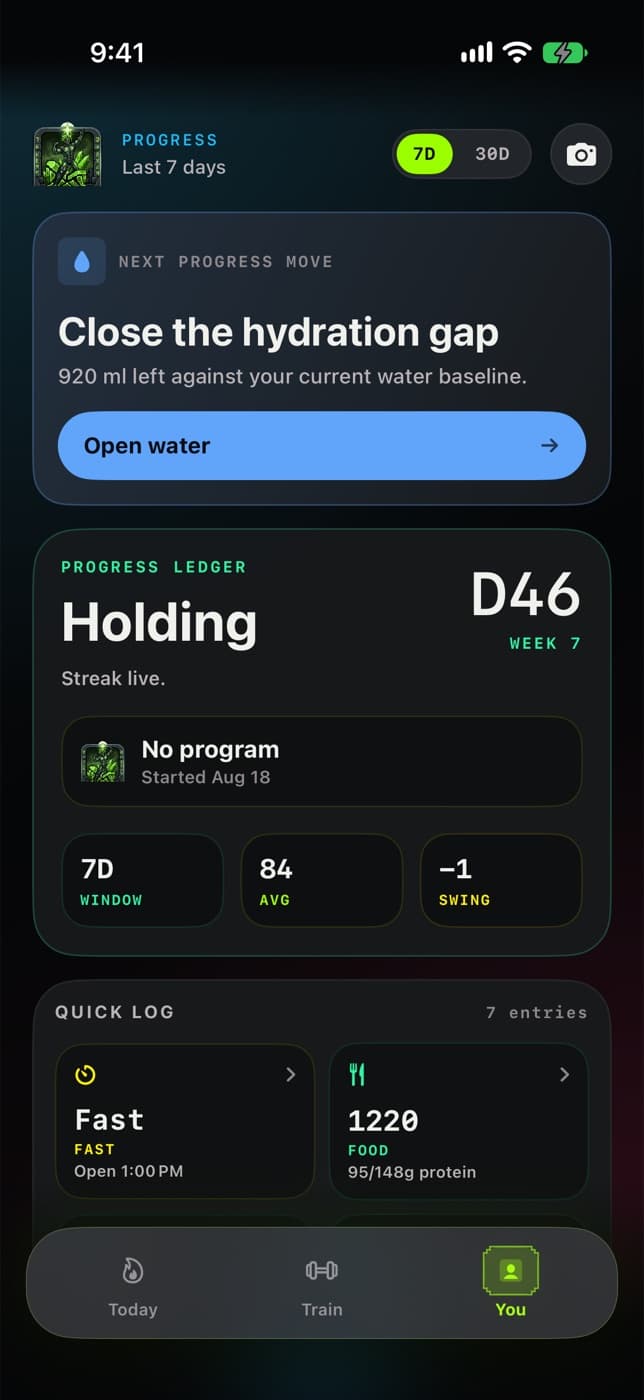
Progress
Your logging window, averages, and the next most useful move.
Optional focus tools can shield apps you choose until today's daily contract is clear. That uses Apple's Screen Time permission, and you can turn it off at any time.
On your phone
Logs live on your device with private iCloud sync.
Health is optional
Deny Apple Health and manual logging still works.
You choose what's shared
Optional AI providers and accountability partners only get what you send.
FAQ
Straight answers
I'm starting from zero. Is this for me?
Yes. Planning starts by asking where you are (Beginner, Returning, Consistent, or Advanced) and how many days you can train. There are low-impact home programs, rest days are scheduled, and choosing “Too hard” after a session makes the next one lighter.
Do I need a gym?
No. Programs include home mat work and bodyweight strength alongside gym splits, and you can build your own workout from the exercise library.
What happens when I miss a workout?
It shows as missed for that week only. Nothing piles up, and no extra session is added to make up for it. Pick up at the next planned day.
Do I have to weigh and count everything?
No. Quick add takes a rough total (250, 400, 600, or 800 kcal) or repeats a recent meal. Refine the portion later only if it's useful.
Does it need Apple Health or an Apple Watch?
Neither is required. With permission, PrimeForm can read steps, sleep, and active energy. Everything can also be logged by hand, and there's an optional Watch app for quick logs.
Is this medical advice?
No. PrimeForm is a general wellness tracker. It doesn't diagnose or treat anything. Talk to a clinician about medical conditions, medications, or rapid weight changes.
Start with today.
One meal logged and one session started is a good day. PrimeForm keeps count.
Get startediPhone · iOS 18+